
Figma to Wix, Pixel-Perfect: Your Design, Live and Editable
You already have a beautiful design file. Now it needs to become a real website — responsive, fast and easy to update. Our Figma to Wix service rebuilds your design by hand in Wix Studio or the Classic editor, matching layouts closely and making every section work on phones and tablets.
Why Our Figma to Wix Conversion Protects Your Design
A careless conversion quietly ruins good design work: spacing drifts, mobile gets improvised, nobody can edit the result. When we convert Figma design to Wix, we do it carefully, so the live site honours the work you paid for.
Your Design, Faithfully Rebuilt
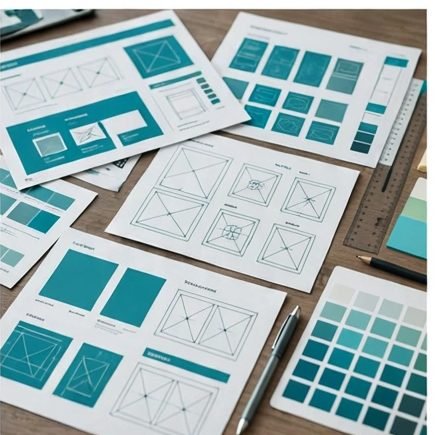
We match spacing, typography, colours and section rhythm frame by frame, comparing the build against your file before you see it. The site your visitors meet is the design you approved — not an approximation.
Responsive on Every Screen
Figma frames show fixed widths; real visitors arrive on everything from small phones to wide monitors. We translate your layout across breakpoints, so the design adapts instead of breaking, cropping or shrinking into unreadable text.
Editable, Never Locked In
Some converters cheat with screenshots of your design. Ours is a real design to Wix conversion: live text, real buttons and proper sections you can update in minutes, long after launch, without calling a developer.
Launched Faster, With Less Back-and-Forth
Designers and site owners lose weeks in handoff ping-pong. One specialist team reviews your file, flags platform differences early and builds — questions get answered before they become expensive changes.
What Your Conversion Includes
We follow current Wix Studio responsive practices throughout, and you can cross-check how the platform behaves at any time in the Wix Help Center. Here is what every conversion project covers.
Page-by-Page Rebuild
Every frame and section rebuilt as a working Wix page, in the order and hierarchy your designer intended.
Fonts, Colours & Assets
Global styles set once and applied everywhere, with images and icons exported from your file, optimised for fast loading.
Responsive Breakpoints
Desktop, tablet and mobile versions built deliberately and checked side by side, so nothing overlaps or disappears on small screens.
Interactions & Animations
Hover states, scroll reveals, sticky headers, sliders and menus recreated with native Wix tools, keeping the feel of your prototype.
Forms, Stores & Booking Connections
Buttons and calls to action wired to real Wix forms, checkout or booking calendars — a beautiful page that also does its job.
Basic SEO Setup
Page titles, meta descriptions, a clean heading structure and image alt text, so your converted site can be found from day one.
From Design File to Live Website in Four Steps
You always know what stage your project is at, and you review the build before anything goes live.
Step 1 — Send Your Figma File
Share the Figma link (or your PSD or XD file) and tell us which pages matter most. We flag anything Wix handles differently, before quoting.
Step 2 — Map the Design to Wix
We plan sections, breakpoints and global styles, then confirm with you what stays pixel-perfect and what should adapt responsively. No surprises mid-build.
Step 3 — Build & Compare
We build inside your Wix account, checking each page against the design file as we go. You review on a real preview link and request refinements.
Step 4 — Launch & Hand Over
We connect your domain, run final checks across devices and browsers, then walk you through editing your new site with confidence.
Converters Who Think Like Designers

In our work with 500+ Wix clients, disappointing conversions share one cause: the builder copied the desktop frame and improvised the rest. We work the other way — breakpoints and editability first, then pixel matching. One agency sent us a polished design with no mobile frames at all; the mobile layout we created for it ended up driving most of their enquiries.
Our team moves between Wix Studio, the Classic editor and Wix Harmony daily, so your file lands in the editor that reproduces it best. Everything uses native tools — 100% no-code — and the person converting your design is the person you message with questions.
Design Conversion Questions, Answered
Very closely on desktop — spacing, colours, typography and layout mirror your frames. Small differences can appear because browsers render fonts and images slightly differently, and on mobile the design adapts intelligently instead of shrinking, which keeps it usable.
You will know before we start, not after. Our review flags anything Wix handles differently — an unusual interaction, a layout trick with no native equivalent — and we agree the closest Wix-native alternative with you or your designer first. We never quietly substitute something weaker, and we never force a design in with custom code that makes your site fragile.
Wix Studio is the best match for modern Figma layouts because its responsive tools handle breakpoints the way designers think. The Classic editor works well for simpler designs or when your existing site already lives there. We recommend the right home for your design before we start.
Yes. A PSD to Wix Studio conversion follows exactly the same process: we review the file, map sections and breakpoints, rebuild by hand and compare against your artwork. Adobe XD files are welcome too — just send the file or a share link for a quote.
A share link with viewing access is enough for an accurate quote. Before building, we may ask for font names or files if your design uses anything unusual, plus original logo and image files where the design references them. If a font needs a licence for web use, we flag it early — font licensing surprises are much cheaper before launch than after.
A single landing page usually takes a few working days; a multi-page website often takes one to two weeks, depending on page count, animations and revisions. You receive a firm timeline with your quote, before committing to anything.
Yes — that is the point of doing this properly. Your site is built from real Wix text, images and sections, never flattened pictures of your design. At handover we show you how to update text, swap images and add sections safely.
Services Designers Pair With Conversion
 Wix Design & RedesignNo design file yet? We design your Wix website from scratch, or redesign the one you have outgrown.
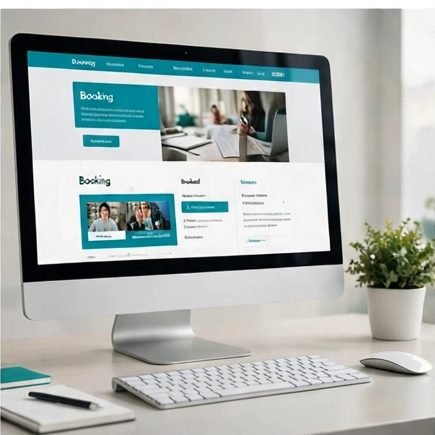 Landing Page DesignOne focused page for your campaign or launch, designed to turn clicks into enquiries and sales.
 Migration to WixMoving an existing website from WordPress or another platform to Wix, with your content and URLs protected.
Have a Figma Design Ready to Go Live?
Send us the file and we will reply with an honest assessment, fixed price and timeline — including anything we would adapt for mobile, and why.
Send Your Design File