
Wix Bookings Setup That Fills Your Calendar While You Work
Every appointment arranged through back-and-forth messages steals time you could spend with paying clients. Our Wix Bookings setup service gives your website a front desk that never sleeps: visitors see your real availability, reserve in a couple of taps, pay in advance if you wish, and get automatic reminders.
What a Proper Wix Bookings Setup Does for Your Week
In our work with 500+ Wix clients — salons, coaches, clinics, tutors and tradespeople among them — one change repeats itself: when booking becomes effortless, diaries fill earlier and no-shows drop. Here is what improves for you.
Bookings While You Sleep
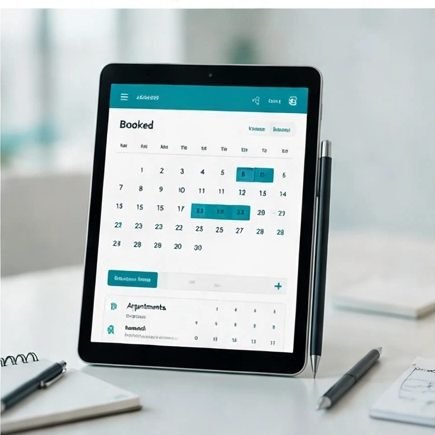
Your calendar keeps selling your services through evenings and weekends, exactly when enquiries normally sit unanswered until morning — and go to whichever competitor replied first.
Fewer No-Shows
Automatic confirmation and reminder messages keep each appointment front of mind for your clients. People who forget less often protect your income and keep your day predictable.
No More Diary Chaos
One calendar holds every appointment, class and booking, synced with the calendar on your phone. Double-bookings vanish, and rescheduling takes seconds instead of a phone call.
Paid Upfront, Less Chasing
Deposits or full payment taken at the moment of booking mean clients turn up, because their money is committed. You also stop spending evenings chasing small unpaid invoices.
What’s Included in Your Wix Online Booking System
A complete scheduling system built inside your Wix site, ready for clients from the first day.

Services & Pricing Setup
Every service added with a clear description, its real duration and its price, grouped sensibly so clients understand their options without messaging you first.
Calendars & Availability
Working hours, days off, buffer time between appointments and booking windows matched to how you work — including separate calendars for each team member.
Booking Page & Widgets
A tidy booking page in your branding, plus book-now buttons and widgets placed across your Wix booking website wherever visitors feel ready to commit.
Payments & Deposits
Card payments switched on with deposits and cancellation terms configured and tested end to end, and the total price shown before a client confirms.
Reminders & Follow-Ups
Confirmation, reminder and follow-up emails written in your tone and sent automatically — including a polite review request that grows your reputation while you work.
Classes, Courses & Memberships
Group sessions, recurring classes and prepaid packages configured alongside private appointments, so every way you sell your time lives in one place.
From First Call to First Booking in Four Steps
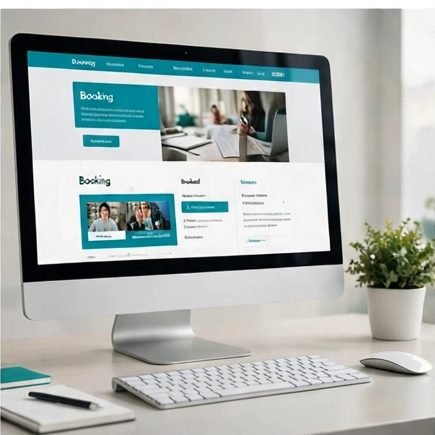
Most booking systems are live within days, because we test as your clients would — not as administrators.
Step 1 — Map Your Services
We list your services, durations, prices and working patterns together, and decide what clients may book instantly and what should stay as a request.
Step 2 — Configure the System
We build your Wix appointment booking system inside your editor, connect calendars and payments, and style every screen to match the rest of your website.
Step 3 — Test Like a Client
We book, pay for, reschedule and cancel test appointments on phone and desktop, reading every email and message exactly as your clients will see them.
Step 4 — Launch & Handover
Booking opens across your site, and a short walkthrough shows you day-to-day calendar management on your own setup.
Why Businesses Trust WixDeLegends With Their Diaries

A booking system touches your revenue directly, so small settings carry real weight: a missing buffer turns a good day stressful, and one confusing screen loses the booking entirely. We have configured Wix Bookings for everyone from one-person studios to multi-staff clinics across our 500+ Wix clients, in Wix Studio, the Classic Editor and Wix Harmony.
Everything runs on Wix’s built-in tools — no Velo code and no third-party scheduler subscription to maintain. You talk to the person configuring your system, not a support queue, and the questions that follow are covered by guidance in the Wix Help Center once you are running independently.
Wix Bookings Questions, Answered
What service businesses ask us before they let their website take bookings for them.
Yes. A client picks a service and a time, enters their details and pays a deposit or the full amount by card, all without leaving your site. You get an instant notification, the slot disappears from your public calendar, and the client receives a confirmation email automatically. Nobody waits for you to reply to a message.
It does. One-to-one appointments can run alongside group classes with fixed capacities, waiting lists and repeating schedules. Packages and memberships, such as a block of ten sessions paid in advance, also live inside the same system, so clients manage everything from one account page.
Yes. Your booking form can include the questions you need answered before the appointment — goals, health notes, property details, whatever your service requires. The answers arrive attached to the booking, so you prepare in advance instead of gathering basics during paid time.
Yes. Your Wix calendar can sync with Google Calendar, which means personal commitments block booking times automatically and new appointments appear in the calendar you already check each morning. We set the sync up for you and test it in both directions before your booking pages go live.
Yes, when the system is set up carefully. We configure your business time zone properly and test the booking journey as an overseas client would see it, so the time in the client confirmation always matches the slot that lands in your calendar. No more appointments arriving an hour adrift.
You set the rules: how far in advance clients must book, the latest point they can cancel, and whether a deposit is kept when they cancel inside that window. We configure the policies with you, choosing settings that protect your time without frightening away genuine customers.
Very little: a Wix site on a plan that includes Bookings, and your service list with rough prices and durations, even as notes. If the website needs attention first, we will tell you honestly, and a design refresh can run as part of the same project.
Related Services
 Wix eCommerce Store Design
Sell products alongside your appointments, in a store that matches your brand.
 Wix Design & Redesign
A website design that earns a visitor’s trust before the first click on “book”.
 Maintenance & Support
Ongoing help with services, schedules and site updates whenever your business changes.
Ready to Take Bookings Around the Clock?
Tell us what you offer and how your week runs, and we will outline your booking setup — services, payments and timeline — with a free quote.
Set Up My Bookings