
Wix Speed Optimisation That Turns Slow Pages Into Sales
If your Wix website takes more than a few seconds to open, most visitors leave before they see a single product. Our optimisation work finds whatever slows your pages down — images, apps, fonts, video or layout — and fixes it, so your site feels quick on phones and desktops alike.
The Business Payoff of Wix Speed Optimisation
Speed is not a technical vanity metric. Every second we shave off your loading time protects real money: attention, enquiries and sales. Here is what a properly tuned site gives you.

Visitors Stay Instead of Bouncing
People decide within moments whether a website deserves their time. When pages open quickly, far more of the visitors you earn through Google, ads and social media stay, scroll and read what you offer.
More Enquiries and Completed Checkouts
A smooth, fast journey from landing page to contact form or checkout removes the frustration that makes buyers abandon baskets and half-finished forms, so the same traffic produces more results.
Stronger Support for Your Google Rankings
Google treats loading speed and page experience as ranking signals, especially for mobile searches. A faster website supports your other SEO efforts instead of quietly holding them back.
A More Professional First Impression
A site that snaps open feels trustworthy and well run; one that hangs makes visitors wonder how the business operates. Fair or not, speed shapes that judgement instantly.
What We Optimise, Page by Page
You receive a complete tune-up, not a single trick. We work through your whole site in Wix Studio, the Classic Editor or Wix Harmony — whichever your website was built in — and follow the performance guidance published in the Wix Help Center so every change matches how the platform is designed to run.

Full Speed Audit
We measure your key pages on mobile and desktop, list every factor slowing them down, and rank each fix by likely improvement.
Image and Video Optimisation
Oversized media sits behind most slow sites. We compress, resize and replace heavy files, and set video to load only when a visitor reaches it.
App and Widget Cleanup
Every app adds weight to your pages. We review what you run, remove what you no longer use, and swap heavy tools for lighter ones where they exist.
Font, Animation and Layout Tuning
We streamline font loading, trim unnecessary effects and simplify crowded sections, so pages render quickly without losing their design character.
Mobile Loading Priority
Most traffic arrives on a phone, so phones get the fastest version of every page, with key content first.
Before-and-After Report
You see measured loading times before and after our work, in plain language, so you can judge the result yourself.
How Your Speed Project Runs
Most projects finish within a few working days, with your website live throughout. Here is how we speed up Wix website performance, stage by stage.

Step 1 — Baseline Measurements
We record how your key pages load today on real connections, so every later claim is backed by numbers, not opinion.
Step 2 — Your Fix List, Agreed First
You receive a plain-language summary of our findings and planned changes. Nothing is touched until you approve the plan.
Step 3 — The Optimisation Work
We apply the fixes inside your editor: media, apps, fonts, effects and layout. Your content, branding and page structure stay exactly where they belong.
Step 4 — Retest and Handover
We measure again, share the before-and-after results, and show you simple habits, like sizing images before upload, that keep your site fast.
Why Owners Trust WixDeLegends With Wix Performance Optimisation

In our work with 500+ Wix clients, a slow website is rarely caused by one big problem. It is usually ten small ones added over months — a huge hero video here, an unused app there, images uploaded straight from a camera. We have seen these combinations across hundreds of sites, so we find the real culprits quickly.
Everything uses the tools Wix itself provides, keeping your site 100% no-code and easy to edit afterwards. You deal directly with the specialist doing the work and never get sold a change you do not need. If a page is already quick, we will say so.
Wix Speed Questions, Answered
It depends on where your site starts. Websites carrying heavy video, many apps or uncompressed images often see loading times cut dramatically, while already lean sites gain smaller improvements. That is why we measure first and agree the fix list with you before work begins: your quote is based on real findings, not promises.
Phones do the same work with weaker processors and often slower connections, and many sites make them download the full desktop experience first. That is why we measure and optimise the mobile version separately: lighter media, fewer heavy elements and key content loading first, so the version most customers use is the fastest one.
Partly, and we will always be straight about that split. Wix controls the platform and its servers; what we control is everything your site asks visitors to download — media weight, apps, fonts, effects and layout. In practice, most of the slowness we find on client sites lives in that second list, which is exactly what this service removes.
Yes. Speed work happens under the surface, in media files, apps, fonts and settings. Your pages keep their look, content and layout unless one specific element is causing the problem, and in that case we discuss your options with you before changing anything.
Your text, images and page addresses stay the same, so nothing you currently rank for is disturbed. Faster loading actually supports your rankings, because Google rewards good page experience, particularly for people searching on mobile phones.
All three. The causes of slowness differ slightly between editors, and the fixes are applied inside the editor your site was built in, using its own performance settings and tools.
We hand over simple guidelines: size images before uploading them, think twice before adding a new app, and avoid autoplay video on your most important pages. If you would rather not think about it at all, our maintenance plans include periodic speed checks.
Keep Your Website Performing at Its Best
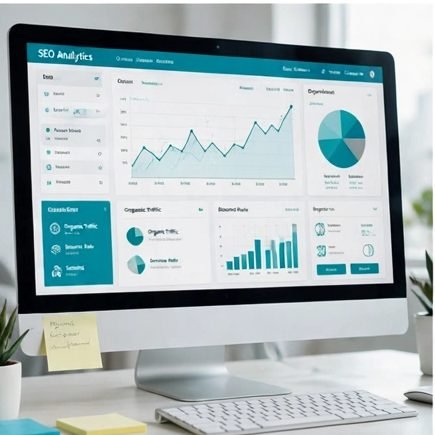 Wix SEO
Get found on Google with keyword-focused pages, clean technical setup and content written to rank.
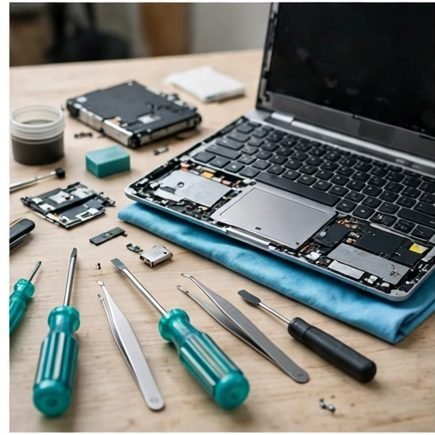 Fix Wix Issues
Errors, broken pages or features misbehaving? We diagnose the fault and put it right properly.
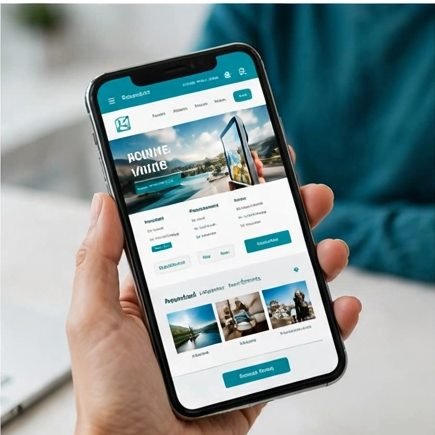 Mobile Optimisation
Make every page look flawless and work smoothly on the phones your customers actually use.
Ready to Make Your Wix Website Feel Instant?
Tell us which pages feel slowest and we will measure them free, then quote honestly for the work that will help.
Get My Free Speed Check